
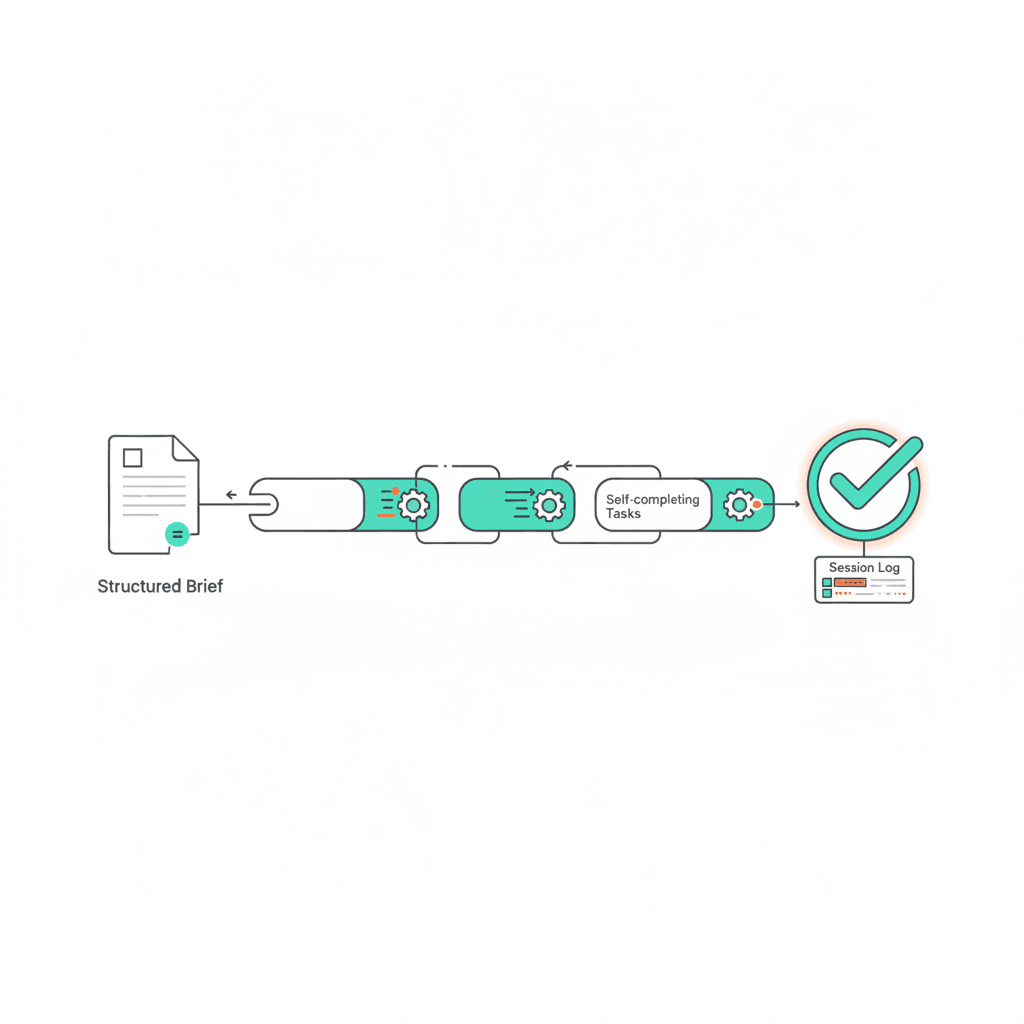
Most business owners use Claude the same way they use a search engine — one question at a time, one problem at a time. You type a request, read the answer, and close the tab. The next task starts from scratch.
That works. But it misses the bigger opportunity.
When you structure a task carefully enough, Claude can run the whole thing while you are doing something else. Not just drafting a paragraph — but completing a multi-step process: pulling data, checking it against rules, flagging exceptions, writing a summary, and logging the outcome. Done before you get back to your desk.
This post covers how to write briefs that make that possible — and what separates a task that runs cleanly from one that stalls halfway through and waits.
Why Most Claude “Automation” Fails
Most attempts to delegate complex tasks to Claude fail for the same reason: the brief describes the activity, not the outcome. “Migrate the site” tells Claude what to do. It does not tell Claude when it is done, what to check before marking it complete, or what to do if something does not look right.
Without a clear done state, the task either ends too early — Claude stops when the main action is done, before verifying the result — or it requires constant check-ins, with Claude surfacing every decision point rather than resolving it.
The brief is the leverage. A vague brief returns vague work. A brief with a built-in done state and verification steps runs on its own.
The Five-Part Brief Structure for Autonomous Tasks
1. Define the done state
Not what to do — what done looks like. Specify the end state in terms Claude can verify: “Confirm all URLs from the old domain return a 301 redirect to the new domain. Check content parity on 20 key pages. Submit the updated sitemap to Google Search Console. Log every step completed.”
A task without a done state has no natural end. Claude either stops too early or extends into adjacent work you did not intend to delegate.
2. Build the verification steps into the task itself
The brief should tell Claude how to check its own work — not as a separate review you run afterwards, but built into each step. “After rewriting each title, confirm it is between 50 and 60 characters and includes the primary keyword. Flag any title that fails either check before moving to the next.”
When verification is external, you find problems after the task finishes. When it is internal, problems surface during the task and can be corrected without a second pass.
3. Set a rollback rule
Any task that changes live data or a live system needs a rollback rule: what gets logged or backed up before any change is made, and what condition stops the task from continuing. “Before updating any page, export the current title and meta description to a log file. If the export fails for any page, stop and report the error rather than continuing.”
This is what makes the task genuinely autonomous. Without a rollback rule, a problem partway through leaves the work in an unknown state. With one, the task either completes cleanly or stops with a clear record of where it stopped.
4. Keep the scope narrow
Autonomous tasks fail when they sprawl. A brief that says “audit the site, fix what you find, and write a report” covers too many independent judgements. Claude ends up approximating decisions you did not specify, and the output reflects it.
One deliverable. One constraint set. One clear completion point. If the work is larger, break it into sequential briefs — each completing cleanly before the next begins.
5. Read the session log to improve the brief
After the task runs, the session log tells you where the brief worked and where Claude had to improvise. The improvised sections are where the brief was thin. Update the brief to cover them before you run the same task again.
The first run takes time to set up. The fifth run of the same task type takes minutes — the brief is tight from earlier iterations and the task runs cleanly.
The CLAUDE.md + Actions.md Layer
Individual briefs get you delegation. The CLAUDE.md + actions.md setup gets you a persistent system that carries context across sessions.
CLAUDE.md holds the context that does not change: who you are, how you work, the rules and constraints that apply to any task in a given project. Actions.md holds the live queue: what is next, who owns each item, and what is already done.
When you combine a well-written brief with this context layer, Claude does not start from scratch each time. It opens the session, reads the context, reads the queue, and picks up where the previous session stopped — without you re-briefing it.
The brief is the instruction for a single task. The context layer is the instruction for the whole system. Both together is how Claude becomes genuinely useful for business work, rather than just a reactive question-answering tool.
What Tasks Work Well for Autonomous Delegation
Not every task is a good candidate. The ones that work best share three characteristics.
They are repeatable. The same task runs regularly with the same structure: weekly reviews, monthly reports, recurring audits. The brief investment pays back across every future run. A weekly review written as a brief once becomes a process Claude can run without prompting each time.
They have clear success criteria. You can verify the outcome without re-reading the work in detail. Either the URLs redirect or they do not. Either the titles clear the character count check or they do not. Tasks with fuzzy success criteria are harder to delegate cleanly until you have made the criteria explicit.
They do not require judgment calls Claude is not equipped to make. Claude handles well-defined tasks with clear rules well. Tasks that require business context it does not have, or decisions that depend on things outside the brief, need either more context or a human checkpoint. When a task requires that kind of judgment, it is not yet a good autonomous candidate — it needs more context in the brief first.
The pattern to look for: if you find yourself doing the same task more than twice and following the same steps each time, it is worth investing thirty minutes in a brief that lets Claude run it. If you have already mapped your growth inputs, the highest-value tasks to delegate first are often the ones consuming the most of your own time.
Getting Started: Your First Autonomous Task
Pick one task you do every week that follows the same steps each time. Write the brief using the five-part structure: done state, verification, rollback rule, narrow scope, session-log review.
Run it once with Claude and read the session log carefully. Note where the brief worked and where Claude had to improvise. Revise the brief to close those gaps. Run it a second time.
By the third run, the task will feel effortless — not because the work is less demanding, but because the brief has absorbed all the decision-making. Using Claude for productivity at this level is not about generating content faster. It is about removing yourself from the execution layer of recurring work so you can stay on the strategic layer.
Frequently Asked Questions
Can Claude run tasks automatically without me prompting it every time?
Claude does not run tasks on a schedule by itself — it responds to prompts. But if you structure a brief carefully enough, a single prompt can trigger a complete multi-step process that runs without further input from you. The key is the done state and built-in verification.
What types of tasks can you automate with Claude AI?
The best candidates are repeatable, rule-based tasks with clear success criteria: weekly reviews, content audits, data checks, report generation, draft production against a fixed brief. Tasks requiring novel judgment or access to systems Claude cannot read are less suitable until you have added the necessary context.
How do I write a brief that lets Claude work autonomously?
Use the five-part structure covered in this post: define the done state, build in verification steps, set a rollback rule, keep scope narrow, and read the session log to improve the brief after each run. The brief improves with every iteration.
What is a done state in a Claude brief?
The done state is the specific, verifiable condition that signals the task is complete. Instead of “rewrite the page titles,” a done state says: “Rewrite all titles, confirm each is between 50 and 60 characters, confirm the primary keyword is present, and output a before/after summary table.” Claude can evaluate whether it has met that definition — which means it knows when to stop.
How does the CLAUDE.md + actions.md system enable autonomous work?
CLAUDE.md gives Claude persistent context about your business, your voice, and your rules. Actions.md gives it a live task queue. Together, they mean Claude opens each session already oriented — it reads the context and the queue, then carries on from where the previous session stopped. This turns individual autonomous tasks into a self-directing system rather than a series of one-off delegations.
The business owners who get the most from Claude are the ones who have built up a library of briefs that run without them. Each brief takes time to write well — and after a few iterations it becomes a system asset: a repeatable process that logs its own output and improves each time you use it.
If you want to understand where your current setup has the most room to improve, the Nerd Productivity System gives you the framework for deciding what belongs in your operating system and what gets delegated. The free productivity quiz takes about three minutes and gives you a clear read on your starting point.
