
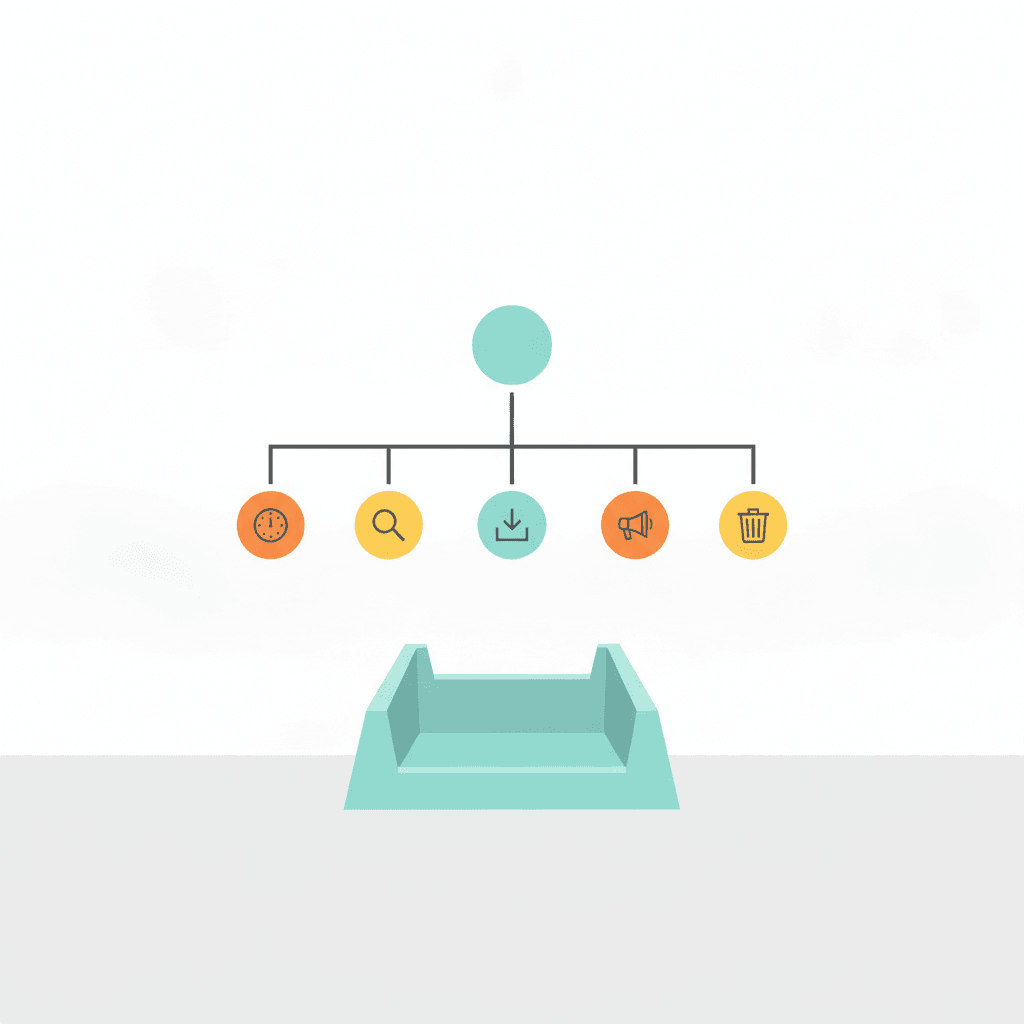
Inbox zero for business owners is a method for processing email so that every message receives a single decision and nothing accumulates in the inbox as an unresolved reminder. The name comes from productivity writer Merlin Mann’s premise that the inbox is an input channel, not a storage system. For a business owner, this matters because the inbox is also a proxy for everything competing for their attention at once.
Most business owners don’t have an email problem. They have a decision problem. Every message left unprocessed represents a decision deferred — and each deferred decision costs cognitive overhead the next time the inbox is opened. Research suggests the average knowledge worker spends around 28% of the workday on email. For an owner who manages client work, team requests, finances, and strategy from the same device, that figure climbs. The accumulation isn’t caused by volume. It’s caused by touching each message more than once without making a decision.
The NP System treats inbox zero as a Process phase habit — one of the foundational disciplines that sit between capturing inputs and planning what to do with them. When the inbox is processed daily, the planning session that follows it starts from a clear state. When it isn’t, planning competes with a background list of everything that arrived since the last time the inbox was opened.
What Inbox Zero Actually Means
Inbox zero does not mean reading every message the moment it arrives. It does not require constant monitoring or instant replies. It means that at the end of each processing session, every message has been given exactly one of five decisions — and nothing remains open.
The empty inbox is a side effect, not the goal. The goal is a mind without open loops. When you know that every message has been processed — decided on, filed, delegated, or scheduled — you can close the email client without the background hum of unresolved things pulling at your attention.
That’s the functional difference between an owner who checks email throughout the day and one who processes it on a schedule. The first has a continuous thread of micro-decisions running in parallel with every other task. The second has a clean break between focused work and inbox time.
The 5 Ds: One Decision for Every Message
The 5 Ds of productivity apply to every piece of inbound — email, messages, requests, ideas — and give you a complete decision tree. Apply one D to each item the first time you open it, and you’ll never open it again for the same reason.
1. Delete
If the message doesn’t require any action and won’t be useful as a future reference, delete it immediately. Most newsletters, FYI forwards, notifications, and automated receipts fall here. The decision takes about two seconds. This is the most underused option in most inboxes — the instinct to keep everything “just in case” is what fills an inbox faster than anything else.
2. Do
If the message requires a response or an action that takes under two minutes, do it immediately, then archive it. This is the two-minute rule from Getting Things Done: anything faster to do than to log carries a higher cognitive cost when deferred than when handled on the spot. A quick reply, a five-line acknowledgement, a single decision — these are done and gone.
3. Delegate
If the message requires action but not from you, forward it with a clear brief. The key discipline here is the brief itself: a forwarded message with no context creates an open loop for someone else, not a completed delegation. One sentence is enough — what you need, by when, and what decisions they can make without coming back to you. Once forwarded, it leaves your inbox.
4. Defer
If the message requires your full attention but you don’t have it right now, defer it — but schedule it concretely. Not “I’ll get to it later.” A named slot in your calendar or a task in your project management system with a due date. Deferring without scheduling means the message stays as an open loop. The inbox empties, but the loop stays open in your head.
5. Document
If the message contains information you’ll need to reference later — a contract term, a decision, an agreed price — extract it, store it where it belongs (a shared folder, your CRM, your project notes), and archive the email. The inbox is not a reference library. Information buried in a mailbox gets searched for twice a year and found once. Stored in the right place, it’s findable the first time you need it.
How to Build the Inbox Zero Routine
The 5 Ds work as a scheduled processing session, not a background monitoring habit. Two or three defined windows per day — morning, midday, and end of day is a reasonable starting point — and the email client is closed outside those windows.
Outside the processing windows, incoming messages go into the capture system, not into your active attention. This is the principle behind the GTD capture habit: inputs arrive, they’re logged, and they wait for the next processing pass. The decision about what to do with them happens at a scheduled time with a clear head, not in reaction to whatever arrived most recently.
Use task batching for the deferred items. If your 2pm processing pass surfaces three tasks that belong to the same project, batch them into one block rather than scattering them across the week. A batch of similar decisions made in sequence takes a fraction of the time they would if made individually across separate days.
At your weekly review, check the deferred list. Any item that’s been sitting for more than a week either becomes a Rock or MIT for the coming week, or it gets deleted. If it’s been deferred twice and still not done, it was never genuinely important. Delete it and stop carrying the loop.
Where Most Business Owners Break the System
The most common failure is using the inbox as a to-do list. Items get flagged, starred, or left unread as reminders, rather than processed through the 5 Ds. The inbox empties in name but not in function — the starred items are still an open list, still pulling attention, still requiring re-reading every time you open the client.
The second failure is processing without deciding. Reading a message, thinking “I’ll deal with this later,” and closing it counts as one interaction without a decision. The message will be read again. The time doubles, and the loop stays open.
Both failures share the same root: the message was touched without a D being applied. The discipline is the one decision, every time, the first time.
Inbox Zero With AI
Claude handles the drafting and delegation steps well. A brief like “read this thread and write a polite one-paragraph decline with a reason” produces a ready-to-send draft in under thirty seconds. The Do and Delegate Ds both benefit from this — the decision still requires the owner’s judgement, but the composition is delegated to the agent.
What AI can’t do is make the five decisions for you. Whether to delete, do, delegate, defer, or document a message depends on context that the owner carries — which relationships matter, which projects are live, which commitments are already made. The 5 Ds require human judgment at the classification step; the agent takes over after the decision is made.
If you want to see how Claude is wired into a daily workflow — including the context file structure that makes the delegation reliable — the Claude project manager setup covers it in full.
The Real Payoff
An empty inbox isn’t the point. The point is what an empty inbox makes possible: a planning session that starts from a clear state, a focus block that doesn’t have unanswered messages pulling at the edge of your attention, and a week whose priorities were set deliberately rather than dictated by whatever arrived last.
Most business owners underestimate how much of their “strategic thinking time” is actually spent re-reading old messages and deciding whether they’re still relevant. The 5 Ds convert that time into a processing pass that runs once and closes cleanly.
If you’re not sure where your current system is leaking time, the free productivity quiz identifies which of the four phases — Capture, Process, Plan, or Do — is the weakest link. It takes five minutes. Or, if you want the full framework installed properly, the free NP System course walks through every phase in sequence.
