
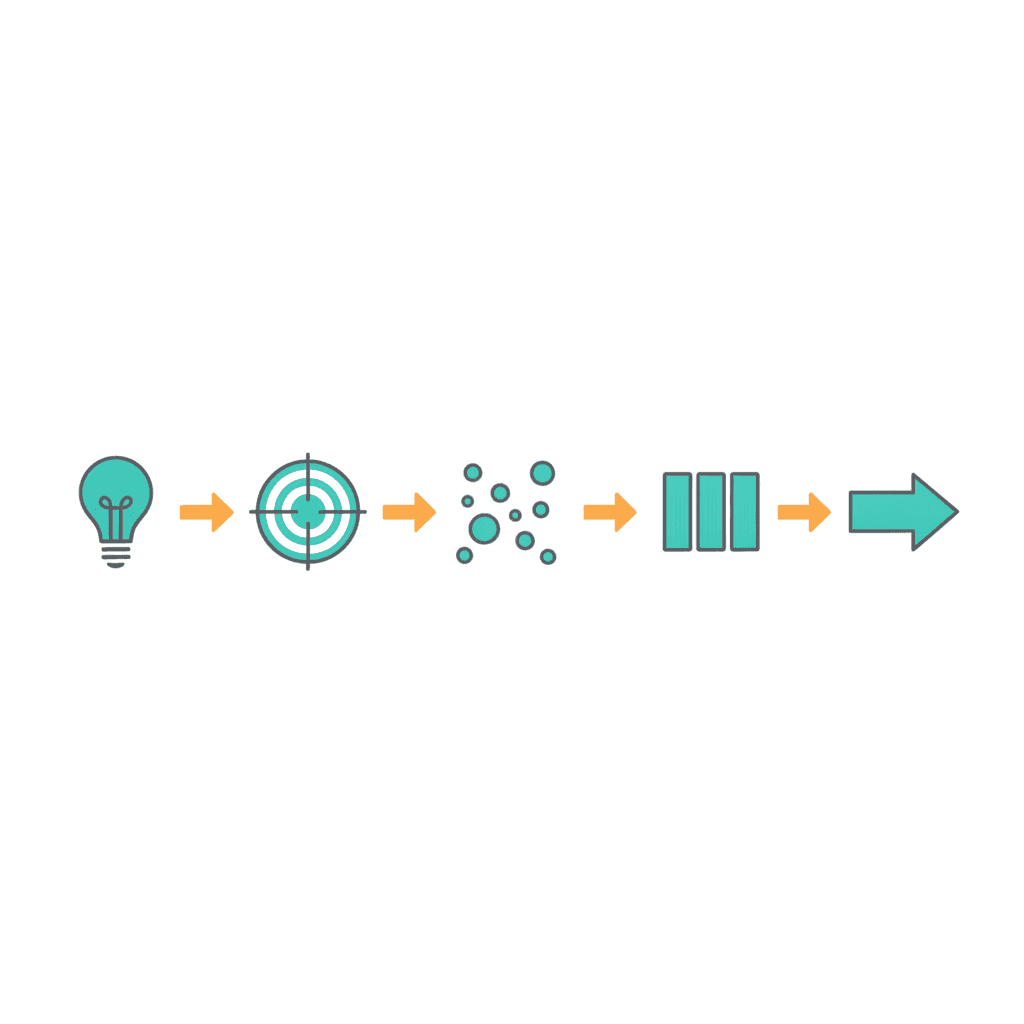
The GTD Natural Planning Model is clearest when you can see it applied to something real. The five steps — purpose, vision, brainstorm, organise, next actions — are straightforward in the abstract. What trips people is recognising what they look like when the project is actually theirs.
The worked example below runs through the complete model for a single business project: a consultant who decides to add a group programme to her one-to-one practice. It’s the kind of project that sits half-formed on a to-do list for months, because the outline is obvious but the path isn’t. The Natural Planning Model is designed for exactly that situation.
If you’d like to understand how the model works before seeing it applied, start with the full explanation in The GTD Natural Planning Model and then come back.
The Scenario
You’re a management consultant. You’ve been running one-to-one engagements for several years — the work is good, clients are happy, and revenue is solid. But your time is capped. You can take on two more clients at most before you’re full.
You want to create a group consulting programme: five clients, a 90-day engagement, fortnightly structured calls plus support between sessions. If it works, it adds a meaningful revenue line without multiplying your hours.
This is a real project, with dozens of moving parts and enough vagueness that you’re not sure where to start. That’s exactly where the Natural Planning Model is designed to help.
Step 1: Define the Purpose and Principles
The purpose is the why in one sentence. For this project:
“To create a new revenue stream that serves five clients simultaneously, without proportionally increasing my weekly time commitment.”
One sentence. It states what the project is, who it serves, and the constraint that governs every decision made inside it. That constraint is worth keeping visible throughout the project. When someone suggests adding a weekly one-to-one bonus call for each group member, the purpose statement answers the question before you’ve even discussed it.
Principles follow the purpose. These are the things you wouldn’t do, even under pressure:
- The quality of existing one-to-one clients doesn’t suffer during the build phase.
- The programme runs without hiring additional support — at least for the first cohort.
- Pricing is finalised before outreach starts, not adjusted based on early interest.
Now every decision the project generates can be tested against this frame. That’s the practical value of writing purpose and principles down before anything else gets done.
Step 2: Create a Vision of the Outcome
The vision is a specific picture of the project complete. Not a cautious projection — a concrete description of what success looks like, specific enough that you could read it at the end and ask honestly: did we get there?
For this project:
“Five clients have paid £1,997 each and started the programme in November. The group calls run fortnightly on a Tuesday morning. All five have made measurable progress on the growth goal they set in week one. Revenue for the quarter is up £10,000 and I’ve added fewer than five hours per week to my schedule. The first cohort ends with at least three clients willing to give a testimonial.”
The vision includes specific numbers, specific timing, a named outcome, and the constraint the purpose established. Vague visions produce vague projects. A vision this specific gives the brain something to navigate toward — and something to test decisions against throughout the project.
Step 3: Brainstorm Without Filtering
Now, with purpose and vision holding the frame, capture everything that comes to mind. The rule at this stage is no evaluation — capture only. The goal is to get the entire project out of your head and onto a page.
Here’s what a real brainstorm for this project might produce:
Programme design — curriculum outline, how many sessions, what’s covered in each, whether calls get recorded, how long each runs, onboarding document, how to handle a client who misses a session, whether there’s a community element between calls, what deliverables clients produce at each milestone.
Sales and marketing — landing page, three pricing options, existing client outreach, LinkedIn content, whether to run a short webinar first, application form, waitlist, testimonials from current clients, a brief case study for the sales page, when to open enrolment.
Operations — scheduling tool choice, video call platform, intake form, welcome pack, how to track client progress between calls, whether to use WhatsApp or Slack for between-session questions, recording and sharing policy.
Finances and contracts — pricing decision, payment terms, contract template, what happens if a client drops out mid-programme, invoicing process, whether to offer a payment plan.
That’s forty or more items from a single brainstorm, generated inside a clear frame. The purpose and vision kept the output relevant. Without that frame, a brainstorm drifts — you capture things that belong to a different project or a different year.
Step 4: Organise What You Captured
Step four turns the heap into a structure. The brainstorm above already started to organise itself by category. With a light pass, four natural components emerge:
- Programme design — curriculum, session structure, recording policy, onboarding
- Sales and marketing — landing page, pricing, outreach, content
- Operations and logistics — scheduling, platform, support channel
- Finances and contracts — pricing finalised, invoicing, payment terms, contract
The dependencies become clear once you’ve named the components. Programme design has to exist before the landing page can be written — you can’t describe what clients get until you know what you’re building. The landing page needs to be live before any outreach makes sense. Operations planning can run in parallel with sales, but finalising the contract needs a pricing decision first.
That sequence tells you where to start, which is almost always the question that blocked action in the first place. The organising step replaces a flat list with a map.
Step 5: Identify the Next Actions
For each open component, one specific, physical next action. This is where the GTD next actions principle applies directly — not what you intend to do, but what you’d actually start right now if everything else cleared from your desk.
| Component | Next action |
|---|---|
| Programme design | Write a one-page outline of the 90-day curriculum — three phases, two sessions per phase — in Google Docs — @computer |
| Sales and marketing | Draft three pricing options (£1,500 / £1,997 / £2,500) with a one-line rationale for each, ready to discuss with accountant — @computer |
| Operations | Spend fifteen minutes comparing Calendly and Acuity for group call scheduling and note which to use — @computer |
| Finances and contracts | Email solicitor asking whether they have a standard consulting services contract template — @email |
Four components. Four next actions. Each is a physical step that can start right now, assigned to a GTD context list. When you open @computer tomorrow morning, three of these are already waiting. When you process email, the fourth is ready.
The project has moved from “I want to launch a group programme” — an intention that’s been sitting for months — to four concrete starting points. That shift takes about thirty minutes once you know the model.
How the Model Fits Into a Full GTD System
The Natural Planning Model doesn’t work in isolation. Once the project is planned, it lives on your GTD projects list as an active commitment with a named next action per component. The weekly review keeps it alive — you check that each open component still has a next action, and you catch anything that’s drifted since the last pass.
The next actions from step five land on your context lists immediately. The @computer actions go on the @computer list. The @email action goes on @email. When you’re at your desk with a clear block of time, you open the right list and start — there’s no re-reading the project or deciding what the first step is. You already decided that in step five.
A stuck project almost always needs a return to steps one and two, not a new task list. When a project isn’t moving and nobody is sure why, the cause is almost always that the purpose was never clearly agreed or the vision is blurry enough that people have different pictures of what done looks like. The fix is a thirty-minute session back at the beginning of the model — not more tasks, not a new tool.
Running the Model on Your Own Projects
You don’t need a template or a dedicated app to run the Natural Planning Model. A blank page and twenty minutes are enough.
The sequence: purpose in one sentence, vision in one paragraph, brainstorm in a messy list with no filtering, sort into three to five components, then one physical next action per component. That’s the complete model, and it works at any scale — from a major client launch to a personal project you’ve been avoiding for weeks.
Start with a project that’s currently stalled — not a future project, not an aspirational one. Take a real project that’s on your list right now but hasn’t moved in two or three weeks. Run steps one and two first. If you can’t write the purpose in a single sentence or describe the outcome in a paragraph, you’ve found why it’s stalled.
The full GTD workflow — capture, processing, the projects list, context lists, and the weekly review — connects everything that comes out of the model. If you want to see how those pieces fit together, the free NP System course covers all four phases across eleven short modules. You can start the free NP System course here.
Frequently Asked Questions
What is a good example of the GTD Natural Planning Model?
A good example is planning a new service launch. Step one defines the purpose — for instance, creating a group consulting programme that adds revenue without proportionally increasing weekly hours. Step two describes a vivid outcome with specific numbers and a date. Step three brainstorms every component freely: programme design, marketing, operations, finances. Step four groups and sequences those components. Step five identifies one specific physical next action per component — what you’d do right now.
What should a GTD natural planning model purpose statement look like?
A purpose statement is one sentence that answers why the project exists and, where relevant, states the constraint that governs it. A clear example: “To create a group consulting programme that serves five clients simultaneously, without proportionally increasing my weekly time commitment.” The constraint — time stays contained — is as important as the goal, because it resolves every trade-off decision that follows.
How detailed should the brainstorm be in the Natural Planning Model?
The brainstorm should capture everything that comes to mind without filtering any of it. Quantity matters here — you’re trying to externalise the entire project so that nothing stays in working memory. A typical project brainstorm produces thirty to sixty items. The evaluation and pruning happens in step four, not step three. Premature filtering stops the brainstorm working: you spend mental energy defending each idea rather than generating the next one.
What is the difference between a project and a next action in the Natural Planning Model?
A project is any outcome that requires more than one action to complete. A next action is the single specific physical step you’d take right now if everything else cleared. “Launch a group programme” is a project. “Write a one-page curriculum outline in Google Docs” is a next action. The Natural Planning Model produces a project with structured components, each of which has a named next action. The project lives on your projects list; the next actions go onto your context lists.
Can I use the GTD Natural Planning Model without a full GTD system?
Yes. The Natural Planning Model works as a standalone planning session even if you don’t use GTD for everything else. The five steps — purpose, vision, brainstorm, organise, next actions — produce a clearer starting point than a flat to-do list regardless of which broader system you use. That said, the model integrates most usefully with a weekly review and a projects list, since both are what keep the next actions current over time.
