
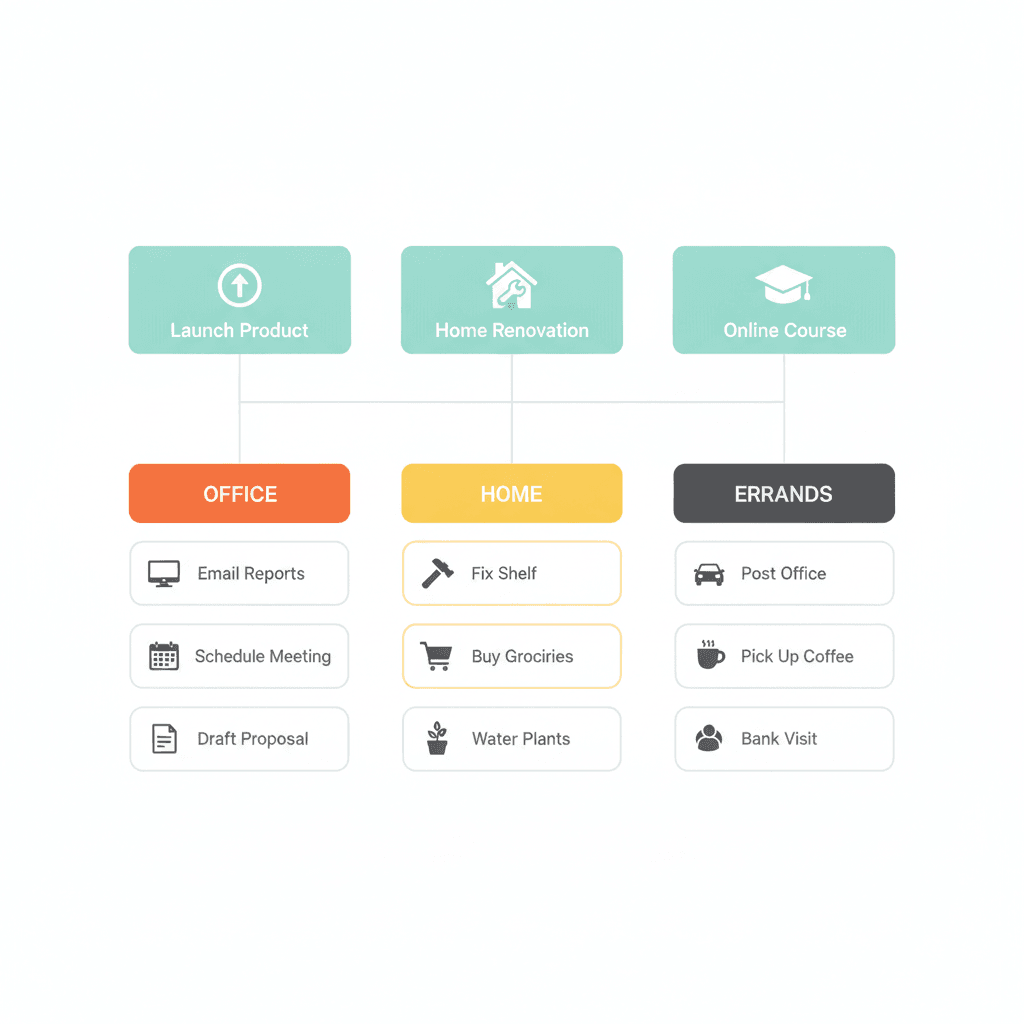
Most productivity systems break in the same place. Not at the habit level, not at the mindset level — they break at the list level.
Specifically: they don’t have a clear, maintained inventory of every outcome they’re currently committed to completing.
Getting Things Done calls this the projects list. David Allen describes it as the most consistently underdeveloped component in people’s systems — not because it’s complicated, but because most people build a task list when they need a project list, and those are two entirely different things.
This post explains what a GTD projects list is, how to build one from scratch, and how to maintain it so that it reflects what you’re actually committed to this week.
What is a GTD projects list?
A GTD projects list is a complete inventory of every outcome you are currently committed to completing that requires more than one action step. In Getting Things Done, David Allen defines a project as any result that requires more than one action to achieve — the term is deliberately broad. A dentist appointment you need to book and attend is a project. A proposal you need to draft, review, and send is a project. The list exists so that you never have to hold the full picture in your head.
The projects list sits at the centre of the GTD system. It’s not where you track individual tasks — context lists handle that. It’s not where you track future possibilities — the someday/maybe list handles that. It’s where you track what you’ve committed to finishing, so your weekly review has something to work from and your context lists have something to serve.
The GTD definition of a “project” (and why it matters)
Allen’s definition is deliberately broad: if it requires more than one action and needs to happen within roughly the next twelve months, it’s a project.
This trips most people up. A client proposal is a project. Hiring a team member is a project. Renewing your car insurance is a project. So is finishing a book you promised yourself you’d read this quarter.
The criterion isn’t scale — it’s commitment plus multi-step completion. If you’ve said (even just to yourself) that you’ll get this done, and it takes more than one action, it belongs on your projects list.
Why does the definition matter? Because if you treat a project like a task — a single item on a long list — you lose the thread. You mark the task done but the outcome isn’t finished. Then the outcome stays open in your head as an open loop, draining attention without a clear next action attached to it. This is the same mechanism behind the Zeigarnik effect: unfinished commitments occupy mental bandwidth until they’re either completed or explicitly parked.
The difference between a projects list and a task list
A task list answers: what can I do right now? A projects list answers: what am I committed to finishing? These are different questions, and they need different containers.
Your context lists — calls to make, things to do at your desk, emails to send — are your task lists, organised by where or how you can do the work. Your projects list sits above them. It’s the inventory that your GTD weekly review uses to make sure every active commitment has a clear next action somewhere on a context list.
Without the projects list, your context lists are orphaned. You end up with tasks that don’t connect to outcomes, outcomes that don’t have tasks assigned, and a persistent sense that you’re busy but not moving anything forward.
How to build a GTD projects list (three steps)
Step 1: Run a full commitment audit
Before you can list your projects, you need to surface them. Block out thirty minutes and work through every area of your life where you have active commitments: work, clients, business development, team, finances, health, family, home. For each area, ask: what outcomes have I committed to that require more than one step and that I intend to complete in the next twelve months?
Write everything that comes up. The goal is to get it all out of your head. This is the same process as the brain dump and the GTD mind sweep — applied specifically to outcomes rather than loose thoughts and inputs.
A useful framing: what would someone asking “how’s that going?” be asking you about? Those are your projects.
Step 2: Write outcome-based project titles
For each item you’ve surfaced, write the project title as a completed outcome, not as a category or label.
“Proposal for Q3 client” becomes “Q3 proposal sent and approval received.” “Hire designer” becomes “Designer hired and onboarded.” “Website redesign” becomes “Redesigned website live.”
This matters because it makes the project’s done state explicit. When you review your projects list in your weekly review, outcome-based titles make it immediately obvious whether the project is finished or still open — and they make it easier to identify the next action, because you know what you’re working towards.
Step 3: Separate active projects from someday/maybe
Not everything on your initial sweep belongs on the active projects list. GTD draws a clear line between what you’re committed to moving now (active projects list) and what you might do eventually (someday/maybe list).
If you don’t intend to take a next action on something in the next few weeks, move it to the someday/maybe list. The active list should only contain projects you’re genuinely advancing right now. A list of fifty active projects is usually twenty real commitments plus thirty things you’ve been hoping to get to — and the distinction matters, because a bloated projects list is just as disorienting as no list at all.
Maintaining the projects list through your weekly review
A projects list that isn’t reviewed weekly is a document, not a system.
The GTD weekly review is where the projects list earns its keep. During the review, you go through every project and ask: does this project have a clear next action on one of my context lists? If not, you add one. If the project is complete, you close it. If it’s stalled, you decide whether to move it to someday/maybe or identify what’s blocking it.
This pass — which takes ten to fifteen minutes for most people — is what keeps the system honest. Without it, projects accumulate without progress, context lists drift from real commitments, and the system quietly stops working.
Connecting the projects list to context lists and natural planning
The projects list and context lists work as a pair. Projects define the outcomes; context lists contain the next actions that move each outcome forward. The link between them is explicit: every active project should have at least one next action visible on a context list right now.
When a project requires more planning before you can identify a clear next action — when you’re starting something complex and don’t yet know what the first real step looks like — the GTD natural planning model bridges the gap. It takes you from a vague commitment to a concrete next action in five steps: clarify purpose and principles, envision the outcome, brainstorm, organise, and identify the first move.
For simpler projects, the link is direct: you know the next action, you put it on the right context list, and you move on. The natural planning model is for the projects where you genuinely don’t know where to start.
Using Claude to manage your GTD projects list
One of the clearest uses for AI in a GTD setup is maintaining context per project without ramp-up time. When you’re managing multiple projects simultaneously, the cost of switching between them isn’t the switch itself — it’s the time it takes to reconstruct where you were and what the open question was.
For each active project on your list, maintain a short context file: a one-page brief with the project’s outcome, key decisions made so far, the current next action, and the main open question. When you return to a project — or brief Claude to help with a specific task within it — loading that file replaces the reconstruction time. Claude processes the context and picks up where you left off.
The GTD capture step feeds these files. Anything that surfaces during a project session — a decision made, an uncertainty raised, an action deferred — gets captured into the context file rather than held in memory. The file stays current; your head stays clear.
Common mistakes with the GTD projects list
Treating it like a task list. Projects belong on the projects list. Tasks (next actions) belong on context lists. The moment you start adding individual actions to your projects list, you’ve collapsed two different layers into one and broken the logic of both.
Including projects you’re not actually moving. An honest projects list only includes outcomes you’re taking next actions on. If something has sat on the list for three weekly reviews without a next action, it belongs on someday/maybe — or it needs a decision.
Not writing outcome-based titles. “Marketing” is not a project title. “Q4 marketing report sent to board” is. The outcome-based framing tells you when the project is done and makes your weekly review genuinely useful rather than a scan through ambiguous labels.
Skipping the weekly review. The projects list and the weekly review are not separate habits — they’re the same system. One without the other doesn’t work. The projects list without a regular review becomes stale. The weekly review without a projects list has nothing to review.
Building the list once and not maintaining it. Projects open and close constantly. New commitments arrive. Old ones complete or stall. The list needs to reflect reality as it changes, not as it looked when you first built it six months ago.
What changes when the projects list is working
The shift is not dramatic in the way productivity content usually promises. It’s subtler: you stop carrying the full picture in your head.
When every commitment is written down, outcome-titled, and reviewed weekly, the mental overhead drops. Not because you have less to do — you have the same amount — but because your brain isn’t trying to hold the inventory while you work. That’s the function of the projects list. It frees up the cognitive space that used to go into remembering commitments, so it can go into actually moving them forward.
If you want to wire together the full system — the projects list, context lists, capture habit, weekly review, and natural planning model — the NP System walks through each component step by step. It’s free, it’s built around the four phases of Capture, Process, Plan, and Do, and the setup takes about four weeks at fifteen minutes a day. That’s where the projects list connects to everything else.
Frequently asked questions
What is a GTD projects list? A GTD projects list is a complete inventory of every outcome you’re currently committed to completing that requires more than one action step. It sits at the centre of the Getting Things Done system and is the reference your weekly review uses to keep next actions aligned with active commitments.
How many projects should be on a GTD projects list? Most business owners and knowledge workers have between fifteen and fifty active projects when they first run a full commitment audit. The right number is whatever accurately reflects your current commitments. If your list is longer than fifty, check how many are genuinely active — the rest likely belong on the someday/maybe list.
What is the difference between a GTD project and a task? A GTD project is any outcome that requires more than one action step to complete. A task is a single, concrete next action. Projects belong on the projects list; tasks (next actions) belong on context lists. The two layers are separate but work together: every project needs at least one next action on a context list.
How often should you review your GTD projects list? Weekly, as part of the GTD weekly review. The review checks that every active project has a next action on a context list, closes completed projects, and moves stalled or deprioritised ones to the someday/maybe list. Most people do this on Friday afternoon or Sunday evening.
Can you use Claude to manage a GTD projects list? Yes. A practical approach is to maintain a short context file for each active project — a one-page brief with the project’s outcome, key decisions made, current next action, and open questions. Loading this file at the start of a Claude session gives the AI the context it needs to help without you having to reconstruct the situation each time.
The GTD projects list is particularly useful for entrepreneurs managing several revenue streams at once — see the productivity system for entrepreneurs for a full architecture that puts the projects list inside a working capture-to-action setup.
For a business-owner-specific take on how the projects list connects to a structured weekly review, the weekly review for business owners guide covers exactly how to run that weekly pass when your commitments include revenue, team, and personal goals alongside standard GTD projects.
